
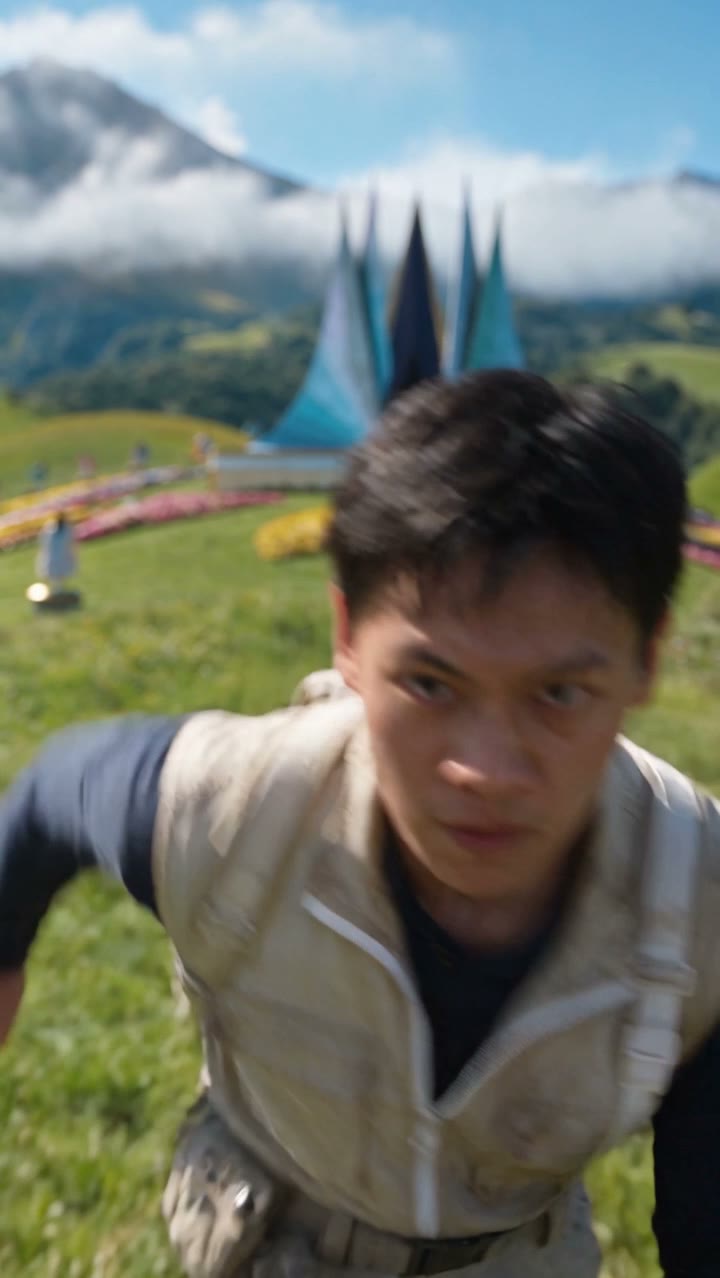
You upload one selfie. Picsart Flow turns it into a tribute portrait in the arena, then animates it into a 5-second cinematic clip with sound.
It takes about 5 minutes, most of which is waiting.
What you'll make
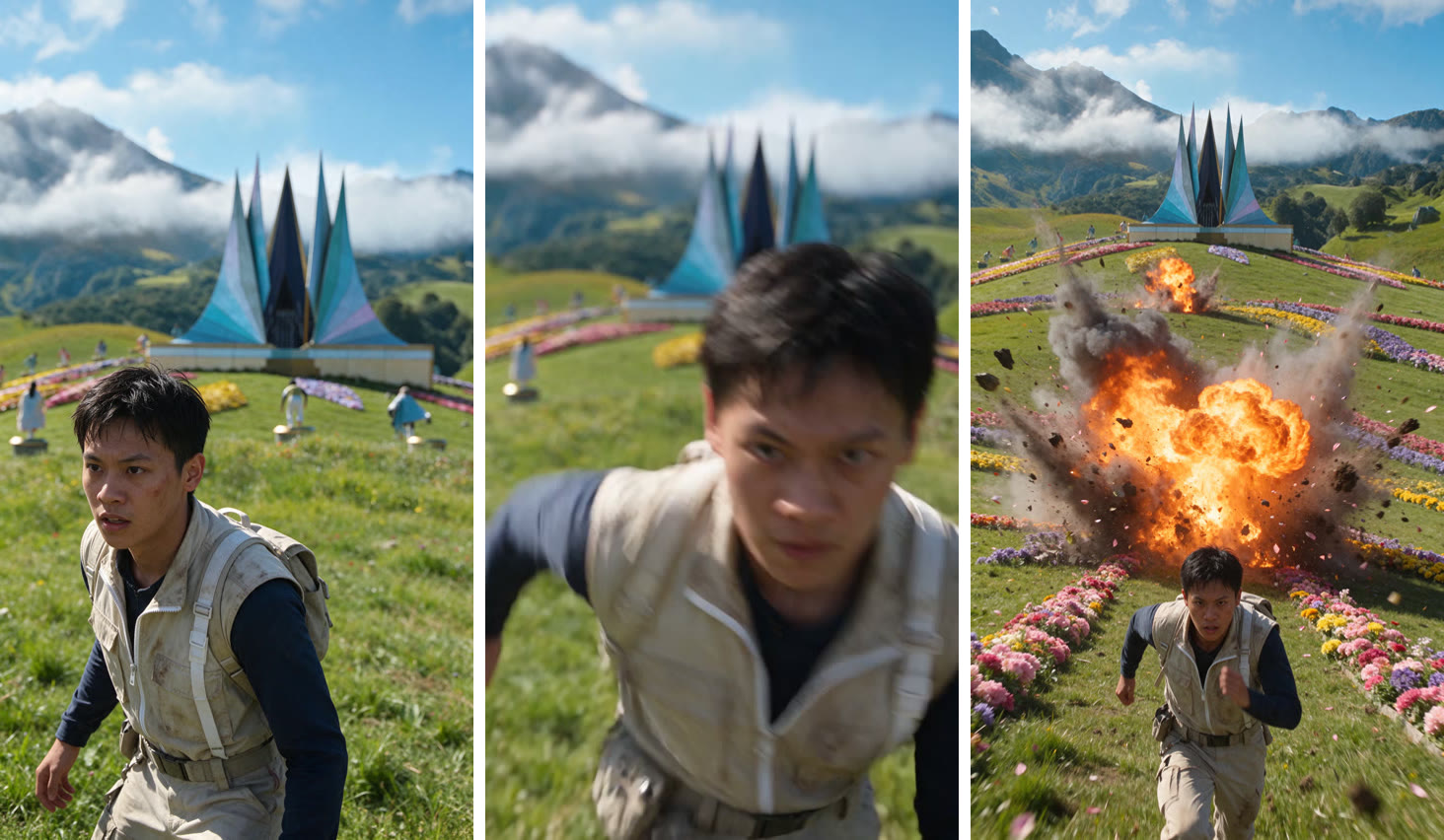
All three came from the same headshot: a tribute portrait, a clip of you sprinting down the hill, and an action clip with the flower beds exploding behind you.
What you need
- A Picsart account with credits. The run in this guide cost 2 credits per portrait and 35 credits per 5-second clip (Seedance 2.5, 720p, with audio). One portrait plus one clip comes to 37 credits.
- One clear photo of yourself. The best results come from:
- a front-facing photo with good light;
- your face and shoulders visible;
- no sunglasses or hands over your face.
Your clothes don't matter here: the prompt dresses you in a tribute outfit.
Step 1: Open the workflow and add your selfie
Open the Hunger Games workflow in Picsart Flow (picsart.com/flow on the web, or the Flow tab in the Picsart app). If it opens as a template preview, double-click any node to copy it into your own workspace.
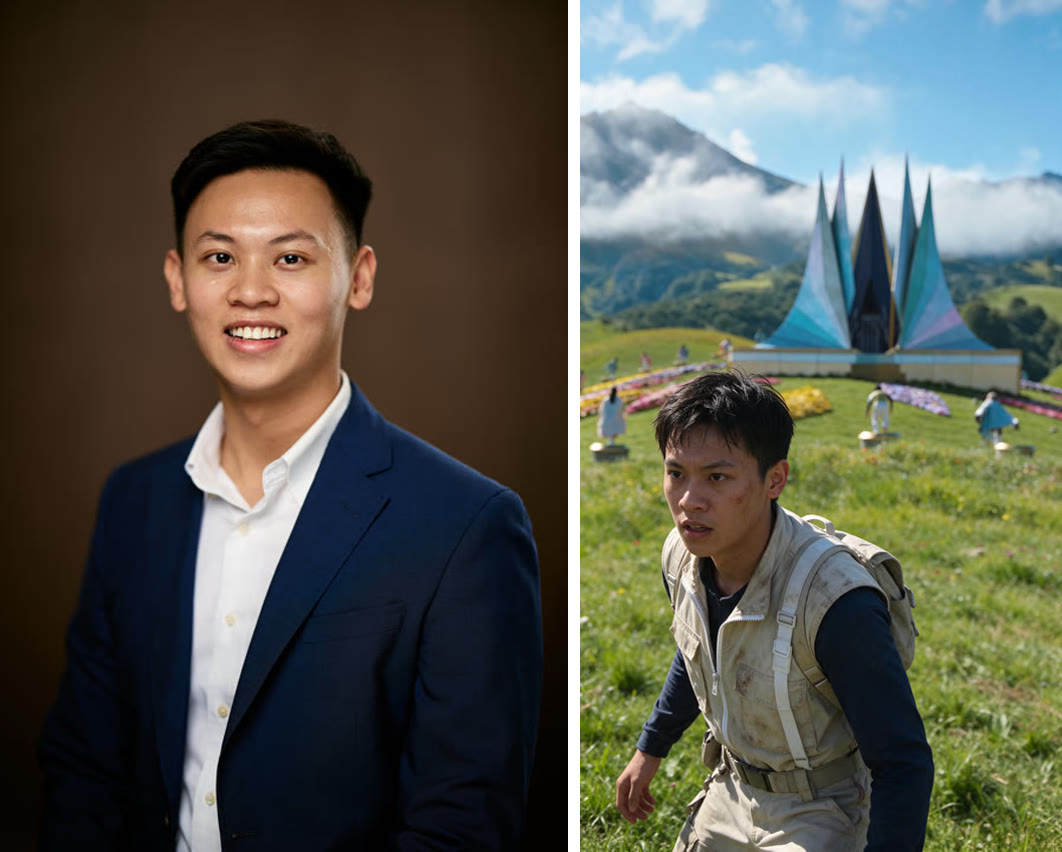
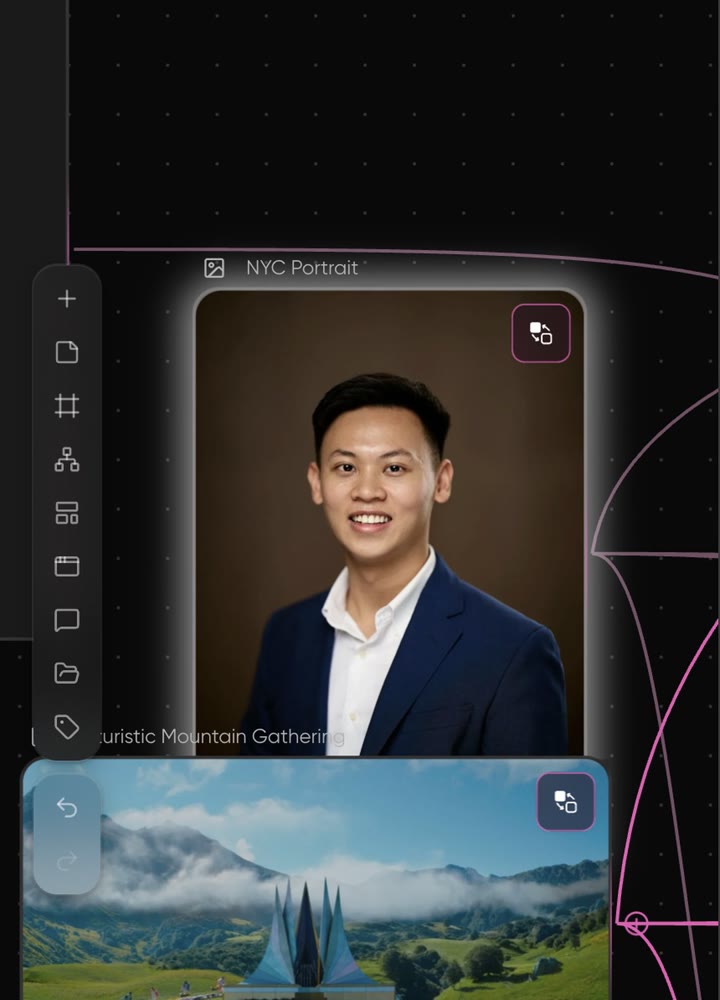
Find the photo node at the top left. Hover over it, click the swap icon in its top-right corner, then choose Upload from device and pick your selfie.
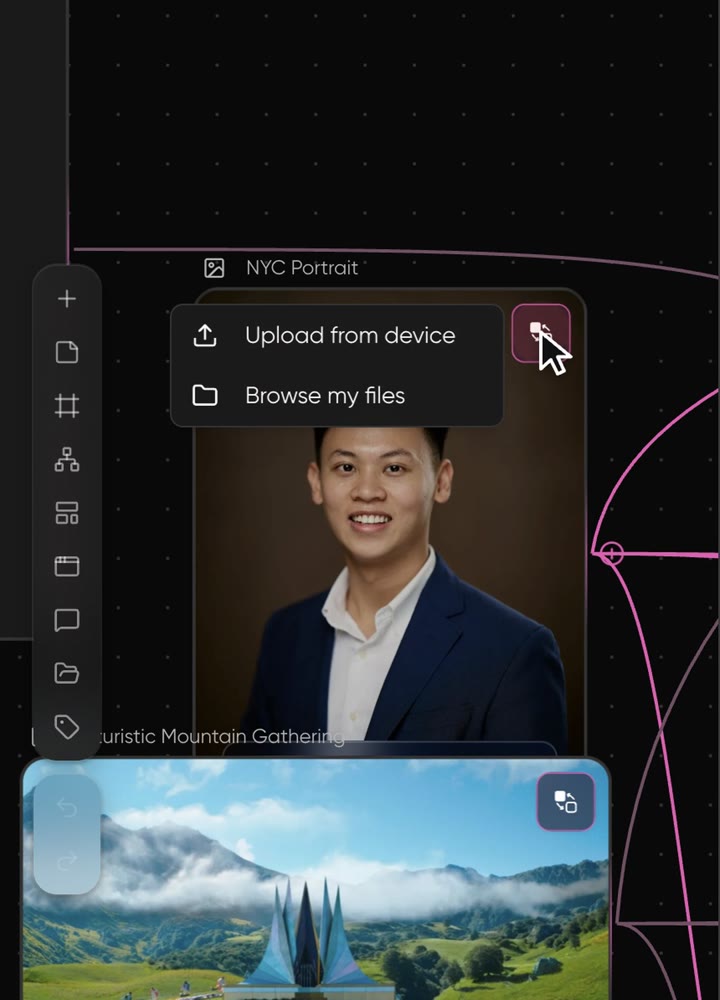
Your face replaces the example photo:
Step 2: Paste the prompt
Click the portrait node (the one showing the example tribute). A panel opens at the bottom with its prompt. Click into the prompt, select all and paste the prompt below.
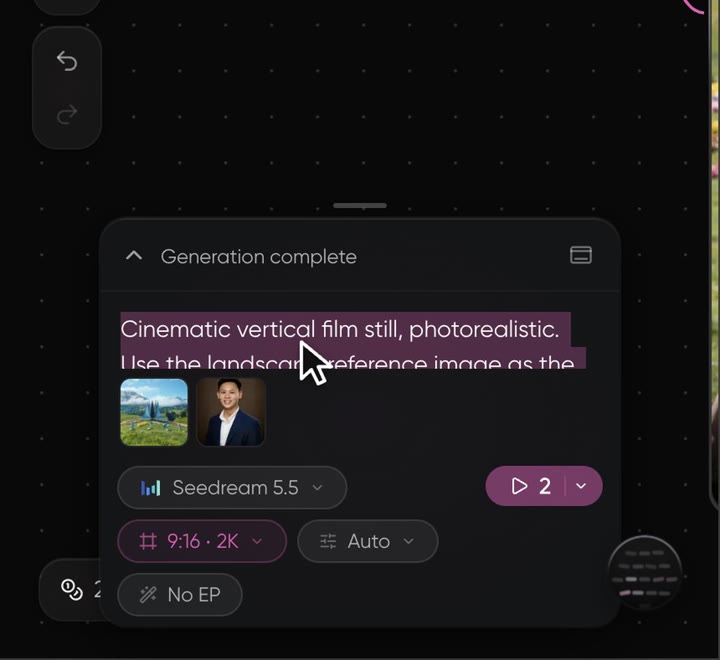
Important: the template's prompts are written for a woman with long dark hair ("the woman… long dark brown hair"). If that isn't you, paste the version below or change those words, or the result won't look like you.
Portrait prompt (written for a man with short black hair; edit the hair and "he/his" to match you):
Cinematic vertical film still, photorealistic. Use the landscape reference image as the exact location and keep it faithful: the same lush green alpine hillside, the same monument made of tall sharp pointed blade-like spires in flat blue, teal and lilac panels fanning outward from a dark navy central spire, standing on a low cream and pale-gold rectangular plinth, the same curved rows of pink, yellow and purple flower beds radiating across the grass, the same rugged mountains with a low band of white cloud drifting across them, vivid blue sky. Place the young man from the portrait reference image in the foreground as a tribute in a dystopian survival games arena. Keep his exact face, facial features, skin tone and short black hair, now slightly messy and windswept. He wears a weathered, dirt-smudged pale beige sleeveless utility vest with white zips and straps over a navy long-sleeve top, matching pale beige trousers with a utility belt, and a small canvas pack on his back. Light dirt smudges and a small scratch on his cheek, focused determined expression, looking off-camera as if about to run. He stands off-centre in the lower half of the frame, medium shot from the hips up, with the spired monument clearly visible and sharp enough to recognise behind him in the upper half. Bright natural midday sunlight, anamorphic lens, saturated blockbuster colour grade, detailed natural skin texture. No text, no logos, no suit, no other people in the foreground, no city skyline.
Step 3: Hit Run
Press the Run button in the panel. It shows the cost: 2 credits.
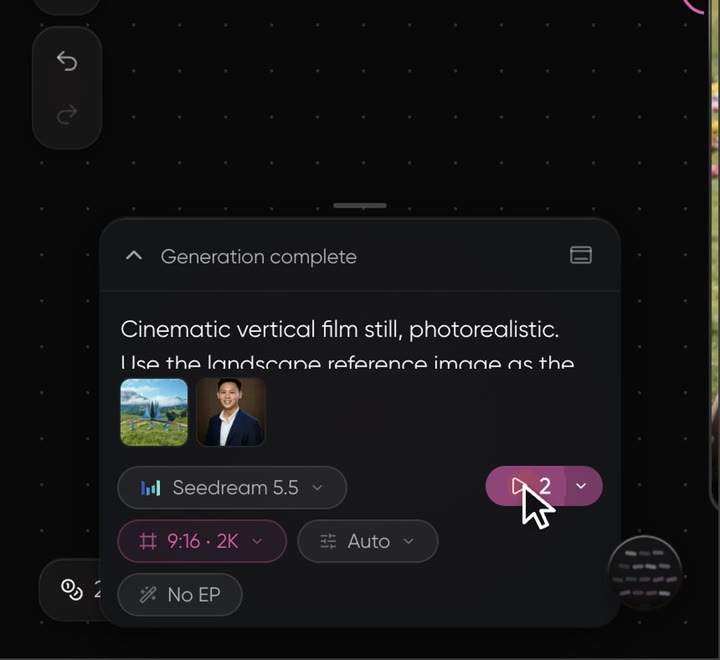
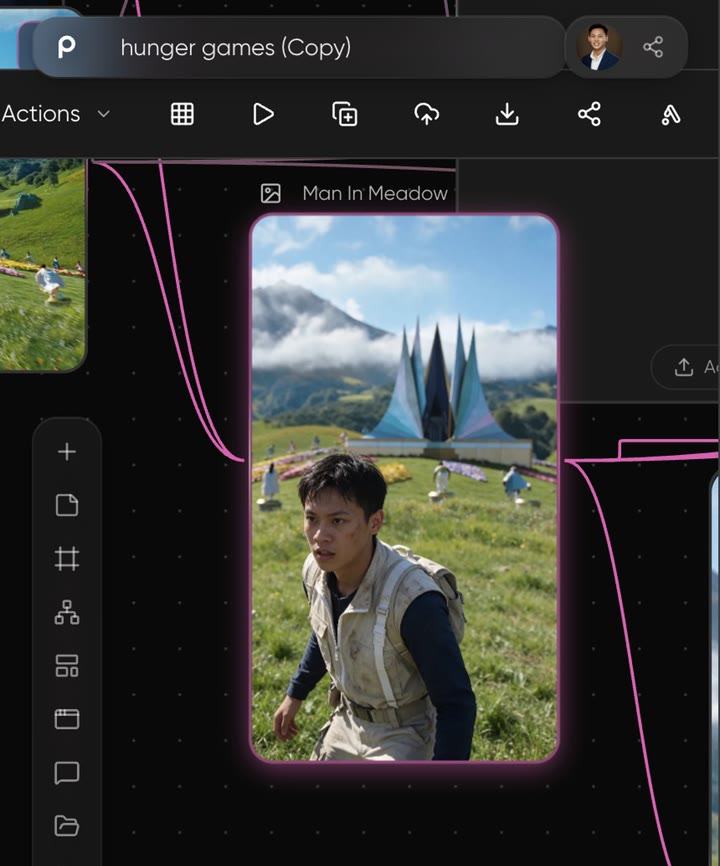
After about 30 seconds the example is replaced by you as a tribute:
Step 4: Make it move
Click the video node connected to your portrait, paste the motion prompt below and press Run (35 credits). The clip takes about 2 to 4 minutes.
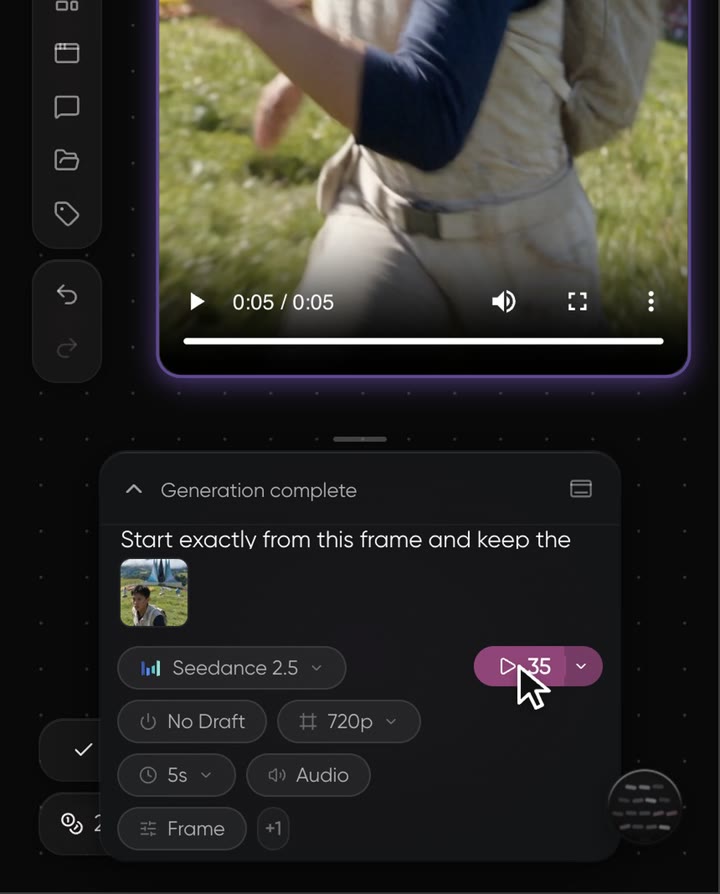
Running clip prompt:
Start exactly from this frame and keep the man's face, hair and outfit identical throughout. He stands on the grassy hillside, breathing hard, eyes fixed off-camera. He glances back over his shoulder at the spired monument, then breaks into a sprint down the slope, past the camera. Handheld tracking camera follows him at shoulder height with a subtle push-in and natural shake, shallow depth of field, the monument and flower beds staying visible behind him. His hair and the vest straps move in the wind, grass and wildflowers ripple, low clouds drift across the mountains. Tense, urgent blockbuster film mood, realistic motion, natural daylight, no slow motion. Audio: wind, rustling grass, fast footsteps and sharp breathing, a low distant boom. No dialogue, no music, no text, no extra people appearing in the foreground.
When it finishes, download the clip from the node's toolbar.
Bonus: the explosion clip
The workflow has a second branch for an action shot. Run its image node first (2 credits), with this prompt:
Cinematic vertical action film still, photorealistic. The same young man as in the portrait reference image: keep his exact face, facial features, skin tone and short black hair. He wears the same outfit as in the hillside reference image of him: a weathered, dirt-smudged pale beige sleeveless utility vest with straps over a navy long-sleeve top, pale beige trousers with a utility belt, and a small canvas pack on his back. Low-angle front view: he sprints straight toward the camera down the green alpine hillside between curved rows of pink, yellow and purple flower beds, arms pumping, face tense and determined, eyes locked ahead. Directly behind him a flower bed erupts in a huge explosion of orange fire, dark earth, smoke and flying petals, with a second blast further back up the slope, clods of dirt and petals hanging in the air. Far in the background the monument of tall pointed blue, teal and lilac spires on a cream plinth, rugged mountains with a low band of white cloud, vivid blue sky. He is centred and seen from the knees up, sharp focus on his face, motion blur on the debris, bright midday sunlight, anamorphic lens, saturated blockbuster colour grade. No text, no logos, no other people.
Then run its video node (35 credits):
Start exactly from this frame and keep the man's face, hair and outfit identical throughout. He sprints at full speed straight toward the camera down the grassy hillside while the flower beds behind him explode one after another, each blast closer than the last, hurling orange fire, dark earth, smoke and petals into the air. A shockwave ripples through the grass, he flinches and ducks his head but keeps running, eyes locked ahead. The camera races backward low in front of him, handheld and shaking with each blast, debris and petals flying past the lens, the spired monument staying visible on the hill behind. Real-time speed, no slow motion, realistic physics, bright daylight. Audio: deep booming explosions, earth and debris raining down, pounding footsteps, hard breathing. No dialogue, no music, no text, no other people.
In this clip your face is smaller, so it works best as the "wow" opener, with the running clip as the close-up reveal.
Tips
- Run one node at a time from its own Run button, so you only pay for what you need. Each button shows its cost before you press it.
- If the face drifts, run the portrait again (2 credits) before spending 35 on a clip. The clip copies whatever the portrait looks like.
- Keep the action simple. Running and turning hold up well; hands holding objects are where AI video usually goes wrong.
Made in Picsart Flow. This guide isn't affiliated with Picsart. If you post yours, tag @picsart with #picsart #picsartflow, and tag me @hohjd.ai too. I'd love to see it.